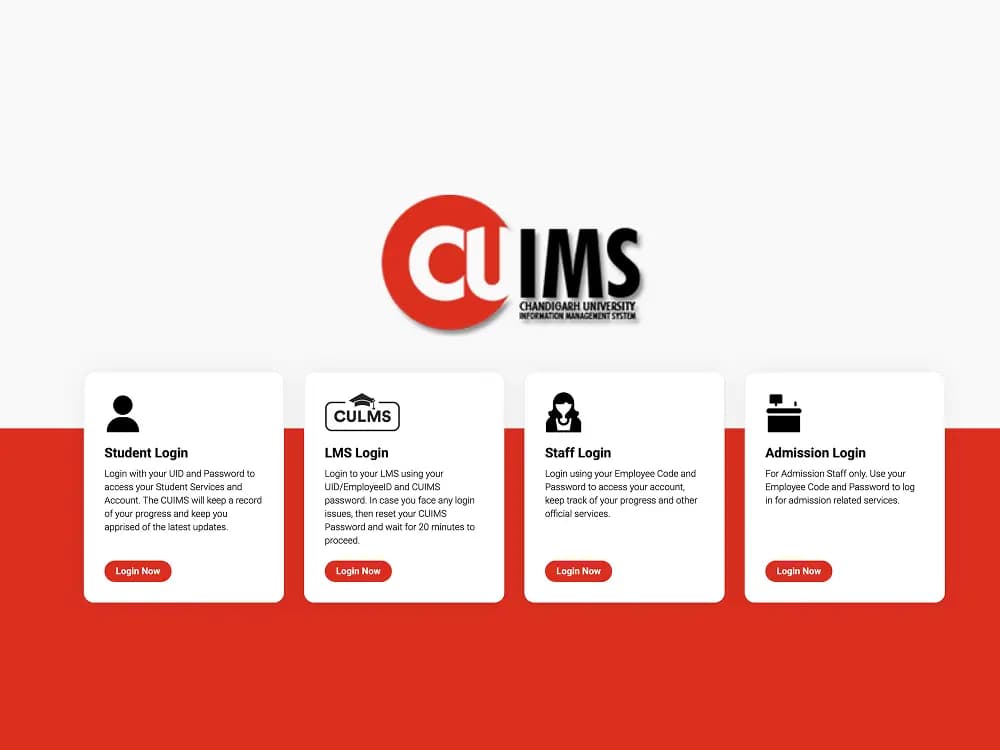
CUIMS (Chandigarh University Information Management System) is the centralized digital gateway for students, faculty, and administrative staff at Chandigarh University. Accessible at uims.cuchd.in, the portal consolidates real-time attendance tracking, exam results, fee payments, and e-learning schedules into one secure dashboard.
Whether you need to monitor lecture attendance, download semester admit cards, or access virtual classrooms on Blackboard LMS, this comprehensive guide covers step-by-step login workflows, password recovery procedures, and troubleshooting fixes.
Related Articles: GOAPS 2027 GATE Login | Check Results Online | Best AI Tools for Students | Top Study Apps for Students
Quick Portal Overview
- CUIMS stands for Chandigarh University Information Management System and is hosted officially at uims.cuchd.in.
- Students authenticate using their official University Identification Number (UID) and confidential account password.
- CU LMS operates on Blackboard at cuchd.blackboard.com for lecture recordings, online quizzes, and coursework submissions.
- Maintaining a minimum 75% attendance threshold per subject is tracked live on the CUIMS student dashboard.
What is CUIMS? (Full Form & Meaning)
CUIMS stands for Chandigarh University Information Management System, the official enterprise resource planning (ERP) portal hosted at uims.cuchd.in. It serves as an academic and administrative management system that automates record-keeping, examination schedules, fee clearances, and classroom analytics across all university departments.
Students, faculty, and administrators use their designated institutional credentials to log in. In addition to primary administrative functions, Chandigarh University integrates CU LMS (Learning Management System) via Blackboard at cuchd.blackboard.com to distribute digitized lecture notes, host interactive video classes, and evaluate online assignments.
Key Portals at Chandigarh University
Chandigarh University maintains several specialized digital platforms to separate academic administration, e-learning, official communications, and entrance admissions. Knowing which portal to access saves time during semester registration and examination periods.
| Portal Name | Official Link | Primary Use |
|---|---|---|
| CUIMS / UIMS Student Portal | uims.cuchd.in | Attendance tracking, marks, timetable, fee receipts, and admit cards |
| CU LMS (Blackboard) | cuchd.blackboard.com | Online courses, recorded lectures, quizzes, and digital assignments |
| CU Staff Login | uims.cuchd.in | Faculty attendance recording, internal marks entry, and leave requests |
| CU Webmail | mail.cuchd.in | Official university email communication for students and faculty |
| CUCET Portal | cuchd.in | Entrance examination registration, counseling, and admission status |
How to Login to CUIMS Student Portal (Step-by-Step)
Chandigarh University students can log into CUIMS through any modern desktop or mobile browser using their official University Identification Number (UID). The system validates user credentials against university enrollment records before displaying the personal academic dashboard.
Navigate to the Official Website
Open your browser and visit uims.cuchd.in. Ensure the browser address bar displays a valid SSL padlock to safeguard your account data.
Select Student Login Role
On the main login page, verify that the active role is set to Student Login (or Student/Parent Login) rather than Staff or Administrator.
Enter Your University ID (UID)
Type your assigned UID or Student Registration Number into the username field. This number is located on your official admission letter and campus identity card.
Enter Account Password
Type your confidential CUIMS password. First-time users typically receive temporary login credentials from the university admissions desk or use their date of birth in standard format.
Solve Security Captcha
Enter the alphanumeric security verification characters displayed on the screen into the verification box.
Click Sign In to Access Dashboard
Click the Sign In or Log In button. Once authenticated, your personal student dashboard loads with attendance stats, notifications, and course links.
How to Login to CU LMS (Blackboard Portal)
Chandigarh University delivers its virtual curriculum and blended learning resources through Blackboard LMS at cuchd.blackboard.com. Students use the e-learning portal to view course syllabi, join live webinars, download faculty presentations, and submit semester projects.
Open the Blackboard LMS Portal
Visit cuchd.blackboard.com directly in your web browser, or click the LMS Login link provided on the CUIMS portal homepage.
Input Institutional Credentials
Enter your student UID in the username field and your registered LMS account password. For most students, these match your primary CUIMS portal credentials.
Access Coursework and Digital Quizzes
Click Sign In to open your course catalog. From the dashboard, select your enrolled subjects to download study guides, check upcoming assignment deadlines, and review recorded lectures.
CUIMS Staff and Faculty Login
Chandigarh University professors, department heads, and administrative coordinators use the staff login gateway on uims.cuchd.in to manage daily class operations. Staff members can monitor enrollment figures, submit continuous assessment grades, and maintain attendance rosters.
Open the CUIMS Portal
Navigate to uims.cuchd.in from your campus workstation or remote device.
Select Staff Login
Choose the Staff Login tab on the authentication screen to load the employee authorization interface.
Enter Employee Code and Password
Type your official University Employee Code (Staff ID) and confidential portal password into their respective input fields.
Complete Captcha and Submit
Type the verification characters displayed on screen and press Log In to open the faculty management dashboard.
What Can You Access on the CUIMS Dashboard?
The CUIMS dashboard aggregates academic metrics, administrative requests, and campus utilities into a unified interface, eliminating the need to visit administrative offices in person.
- Live Attendance Tracker: Displays subject-wise lecture attendance in real time. Chandigarh University mandates a minimum 75% attendance threshold to appear for end-semester examinations.
- Class Timetable and Schedules: Provides daily class schedules, designated room numbers, lab locations, and faculty allotments for each enrolled course.
- Examinations, Hall Tickets and Results: Allows students to download semester admit cards, register for supplementary or re-evaluation exams, and review grade cards alongside online result verification.
- Fee Payment and Official Receipts: Facilitates online payment of semester tuition, examination fees, and hostel dues with instant downloadable tax receipts and clearance certificates.
- Hostel and Transport Services: Enables hostel room renewal, mess menu tracking, electronic gate pass applications, and campus bus route tracking.
How to Reset Forgotten CUIMS Password
If you have forgotten your password or entered incorrect credentials, you can recover access directly through the self-service reset tool without visiting the university computer center.
Open the CUIMS Login Screen
Navigate to uims.cuchd.in in your web browser.
Click the Forgot Password Link
Select the Forgot Password? option located directly beneath the login credentials box.
Enter Your Registered Information
Input your official UID along with your registered mobile phone number or university email address (@cumail.in).
Verify One-Time Password (OTP)
Enter the verification OTP received on your mobile device or open the password recovery link delivered to your email inbox.
Create and Confirm a New Password
Set a strong password containing at least 8 characters with uppercase letters, numbers, and symbols. After saving, wait approximately 10 to 15 minutes before logging in to allow database synchronization.
Account Lockout and IT Helpdesk Notice
If your CUIMS account is locked due to repeated invalid attempts or you no longer have access to your registered mobile number and university email, visit your Department Academic Coordinator (DAC) or the campus IT Support Cell in person with your physical student ID card to verify identity and unlock your account.
Common CUIMS Login Issues and Solutions
Temporary technical glitches or browser misconfigurations can disrupt portal authentication. Use the following solutions to resolve standard login errors:
| Issue | Root Cause | Recommended Solution |
|---|---|---|
| Invalid Credentials Error | Typing error in UID or password | Confirm Caps Lock is off, check UID format, or use the password reset tool. |
| Account Locked Out | Multiple failed login attempts | Wait 24 hours for automatic unlock or contact IT support with your student ID. |
| Blank White Screen | Corrupted browser cache or cookies | Clear browser cache using Ctrl + Shift + Delete and refresh the page. |
| Captcha Not Loading | Ad-blocker or script conflict | Disable browser extensions or open the portal in an Incognito / Private window. |
| Blackboard LMS Sync Error | Recent password change not synced | Allow 15–20 minutes after resetting password before logging into Blackboard. |
| Results Not Displayed | Department evaluation pending | Check back following official university declaration dates or contact your DAC. |
CUIMS Mobile App Access
Students can manage their academic schedules and attendance records on mobile devices using the official CUIMS and CU LMS apps available for Android and iOS.
- Search "CUIMS" or "CU LMS" on Google Play Store or the Apple App Store.
- Sign in using your standard university UID and CUIMS account password.
- View real-time subject attendance percentages and receive push notifications for announcements.
- Pay pending tuition or examination dues via integrated UPI and net banking options.
- Complement your college preparation by exploring the best AI tools for students and top study apps for students.