Can you run PlayStation 5 games natively on a PC without a full console emulator? That is the exact question tackled by AnyPS5, an ambitious open-source project that has generated significant attention across the gaming and reverse-engineering communities.
With over 23,000 stars on GitHub (boykopovar/AnyPS5), AnyPS5 takes a radically different route from conventional console emulation. Rather than emulating complex PlayStation 5 hardware in real-time, AnyPS5 statically converts PS5 binaries so they execute natively on Windows and Linux x86-64 systems.
In this comprehensive guide, we break down what AnyPS5 is, how its binary relinker and shader recompiler operate, how to set up your workspace step-by-step on Windows and Linux, controller configuration, and what games actually run today.
AnyPS5 is an early-stage research and enthusiast tool, not a plug-and-play game launcher. It does not distribute game files, decrypted keys, or proprietary console firmware. You must provide clean, legally acquired game executables.
What is AnyPS5?
AnyPS5 is an open-source binary translation and runtime project licensed under GPL-2.0. Its core objective is automatic PS5 executable porting to PC operating systems.
Traditional console emulators create a virtualized CPU and GPU environment inside your PC. Because both the PS5 APU and modern desktop PCs run on the x86-64 architecture, AnyPS5 avoids CPU virtualization altogether. Instead, it rewrites the console executable into an OS-native binary:
- On Windows, it outputs a standard Portable Executable (
.exe). - On Linux, it outputs a native ELF binary (
.elf).
Official Project vs. anyps5.org
A common point of confusion is the website anyps5.org:
- The Upstream Project: The official open-source source code and releases live exclusively on GitHub under
boykopovar/AnyPS5. - anyps5.org: An independent community-maintained database. It is not affiliated with Sony Interactive Entertainment or the upstream repository developers. The site hosts no game files or downloads; it serves as a community tracker for compatibility reports, mirrors documentation, and links back to the official GitHub releases.
How AnyPS5 Works Under the Hood
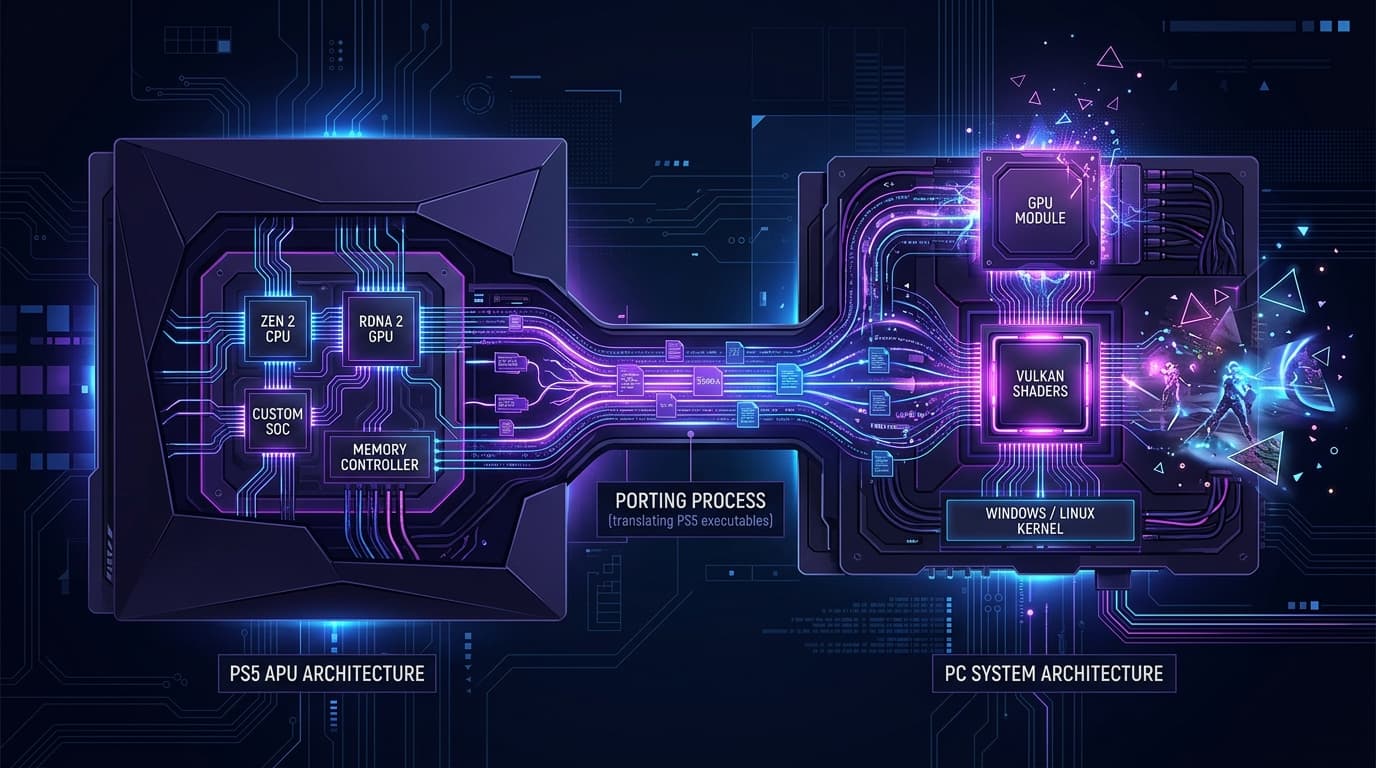
To understand why AnyPS5 is so fast yet technically complex, it helps to look at its four-stage architecture:
[ PS5 ELF Executable ]
         │
         ▼ (1. AnyPS5 Relinker)
[ Native Windows PE (.exe) / Linux ELF ]
         │
         ├──► (2. Host PRX Libraries) ──► Replaces PS5 OS APIs
         ├──► (3. Native x86-64 CPU)  ──► Runs directly on host processor
         └──► (4. SPIR-V / Vulkan)    ──► Recompiles PS5 shaders for GPU
1. The Relinker
The Relinker inspects the PS5 executable format, extracts symbol tables, dynamic linkages, and thread-local storage (TLS) configurations, and rebuilds the code structure into a host-compatible binary.
2. Host System Libraries
PlayStation 5 games depend on proprietary Sony PRX system modules for audio, networking, memory management, and file I/O. AnyPS5 provides clean-room, custom-engineered host PRX libraries that intercept these calls and translate them into native Windows and Linux OS API calls.
3. Native Execution
Because the PS5 processor is an AMD Zen 2 x86-64 CPU, your desktop CPU executes the game instructions directly without an emulation layer or hypervisor. However, "native execution" does not mean zero overhead—memory translations, synchronization, and driver handshakes still consume system resources.
4. Vulkan Shader Recompiler
Console graphics use specialized shader instruction sets tailored for AMD RDNA 2. AnyPS5 incorporates an on-the-fly shader recompiler that converts PS5 shaders into SPIR-V, which your graphics card executes via Vulkan 1.1+.
Current Compatibility Status (October 2026)
Because AnyPS5 is in early development (version v0.1.1), software compatibility is tested title by title. A clean binary conversion does not guarantee a title is playable.
| Category | Status & Performance | Notable Titles |
|---|---|---|
| Officially Playable | Stable 60 FPS on mid-range hardware (e.g., GTX 1050 Ti) | Dreaming Sarah (Windows) |
| Experimental Boot | Boots into intro/menu with bugs or rendering artifacts | Hollow Knight: Silksong, Animal Well |
| In-Game / Unstable | Low frame rates, missing textures, or crash during gameplay | Demon's Souls (Tutorial at ~2 FPS on Linux), Astro Bot (frequent hangs) |
| Unresolved Imports | Conversion blocks on unimplemented system functions | NHL 27 (TLS instruction blocks) |
| Community Test Index | 24+ games documented with community run logs | Broad testing across indie and 2D titles |
A 100% shader compilation metric on compatibility dashboards only means shaders were recognized; it does not indicate complete game logic or audio subsystem stability.
System Requirements & Prerequisites
Before attempting to test any title, verify that your machine meets the minimum baseline:
- CPU: 64-bit x86-64 processor (Intel Core i5/i7/i9 or AMD Ryzen).
- GPU: Graphics card with full Vulkan 1.1 driver support (NVIDIA GeForce GTX 10-series or newer, AMD Radeon RX 500-series or newer, Intel Arc).
- Operating System: 64-bit Windows 10/11 or modern Linux distribution (Ubuntu 22.04+, Arch, Fedora).
- Handhelds & macOS:
- Steam Deck: Recognized as standard Linux; however, manual terminal setup is required.
- macOS: Apple Silicon (M1/M2/M3) uses ARM architecture, not x86-64. While you can compile the Relinker utility on macOS, it cannot run the resulting game binaries.
- Official Release Assets: Download
relinker-v0.1.1.exe(or Linux binary) and the matchingprx-*.ziprelease archive from GitHub.
Step-by-Step Setup Guide: Windows
Follow this exact workspace structure to avoid path resolution errors during conversion.
Step 1: Prepare Your Workspace Folder
Create a dedicated folder (e.g., C:\anyps5-workspace\) and organize your files:
anyps5-workspace/
├── relinker-v0.1.1.exe
└── source/
    ├── input.elf
    └── sce_module/       <-- Put bundled module PRXs here
Warning: Name the module folder either
sce_module/orsce_modules/. Do not provide both, or the Relinker will abort with a conflict error.
Step 2: Run the Relinker in PowerShell
Open PowerShell inside your workspace directory and run:
.\relinker-v0.1.1.exe --windows source\input.elf app.exe- The
--windowsargument is mandatory; renaming the output file to.exedoes not change binary format headers. - If you are running an Intel CPU, add the
--to-intelflag to convert AMD-specific instruction sets:
.\relinker-v0.1.1.exe --windows --to-intel source\input.elf app.exeStep 3: Set Up the Runtime Directory Structure
Once the conversion finishes, arrange the runtime layout as follows:
anyps5-workspace/
├── app.exe
├── libs/                 <-- Extracted from prx-windows-v0.1.1.zip
└── app0/
    ├── sce_module/       <-- Converted game modules
    └── [game data]       <-- Game assets, pak files, sounds
If your system lacks standard MinGW C++ runtime libraries, place the following DLLs in the same folder as app.exe:
libgcc_s_seh-1.dlllibstdc++-6.dlllibwinpthread-1.dll
Step 4: Launch the Game
Launch the generated executable directly from PowerShell or Command Prompt:
.\app.exeStep-by-Step Setup Guide: Linux
Linux is the native targeting environment for the tool.
Step 1: Make Binaries Executable
chmod +x ./relinker-v0.1.1Step 2: Convert the Binary
./relinker-v0.1.1 source/input.elf app.elf
chmod +x app.elf- Linux ELF is the default output format, so no
--windowsflag is required. - If the conversion exits with status code
2, the relinker encountered unresolved imports or corrupted binary headers.
Step 3: Run the Application
Extract the Linux PRX bundle into libs/, ensure game assets are positioned under app0/, and execute:
./app.elfController and Keyboard Configuration
AnyPS5 uses the SDL2 input backend for cross-platform peripheral handling.
Gamepads
Any controller supported by SDL (PlayStation DualSense, DualShock 4, Xbox Wireless Controller, 8BitDo) works automatically. The runtime detects the primary connected controller upon launch and supports hot-plugging.
Keyboard and Mouse Remapping
To play with keyboard and mouse, create a configuration file named anyps5-input.ini directly in the directory alongside your converted game executable (next to app.exe, not next to the Relinker).
Use the format Action = Type:Value:
[Controls]
Cross = KEY:F
Circle = KEY:G
Square = MOUSE:Left
Triangle = MOUSE:Right
LeftStickUp = KEY:W
LeftStickDown = KEY:S
LeftStickLeft = KEY:A
LeftStickRight = KEY:D
L1 = KEY:Q
R1 = KEY:E
L2 = MOUSE:WheelDown
R2 = MOUSE:WheelUp- Supported types are
KEY,MOUSE, andWHEEL. - Unmapped actions automatically retain their default SDL bindings.
- If there is a syntax error, AnyPS5 will print the invalid line number in the terminal and pause input initialization.
Troubleshooting Common Errors
| Error Code / Symptom | Root Cause | Recommended Fix |
|---|---|---|
| Error 193 (%1 is not a valid Win32 application) | Architecture mismatch or console PRX placed in libs/ | Ensure you passed --windows during conversion and populated libs/ with Windows PRX files, not original console binaries. |
| Unsupported guest TLS instruction | Game uses thread-local storage instructions not yet implemented | Known limitation in v0.1.1 (e.g., NHL 27). Wait for upstream PRX updates. |
| Direct-memory allocation failed | Windows committed virtual memory exhausted | Increase your Windows Pagefile size (Virtual Memory) and close background memory-heavy apps. |
| Crash immediately after window creation | Missing or stubbed PlayStation OS API call | Check terminal logs for missing symbol exports; file a compatibility issue on GitHub. |
Legal and Safety Guidelines
- Only Download from GitHub: Never download pre-compiled "AnyPS5 Full Game Packs" or installers from third-party sites. Malicious actors frequently package spyware and Trojans inside fake console porting utilities.
- Respect Intellectual Property: AnyPS5 is built purely for interoperability and technical preservation under open-source licenses. Decrypting, extracting, or sharing copyrighted PlayStation binaries without authorization infringes copyright laws in most jurisdictions.
- No Support for Piracy: Legitimate community testing uses software dumped from personal consoles for research.
Frequently Asked Questions (FAQ)
What is AnyPS5?
AnyPS5 is an open-source tool that statically converts and ports PlayStation 5 executables into native Windows PE (.exe) and Linux ELF binaries without traditional console emulation.
Can AnyPS5 run all PS5 games right now?
No. Version v0.1.1 is in early development. Currently, only lightweight titles like Dreaming Sarah are officially playable at full speed, while larger 3D games remain experimental or boot-only.
Does AnyPS5 require a PlayStation 5 console?
Yes, legally you must extract and decrypt your own game binaries and modules from hardware you own. The AnyPS5 project does not supply any game code, keys, or BIOS files.
Is anyps5.org the official AnyPS5 website?
No. The official project is developed on GitHub under boykopovar/AnyPS5. anyps5.org is an independent community tracker and documentation mirror.
Will AnyPS5 run on macOS or Apple Silicon?
The Relinker tool can be compiled on macOS, but it cannot run the games because Apple Silicon uses ARM64 architecture, whereas PS5 binaries require x86-64 hardware.
Final Thoughts
AnyPS5 represents an exciting paradigm shift in modern gaming preservation. By leveraging the shared x86-64 architecture between current-gen consoles and desktop PCs, it paves the way for efficient native execution rather than heavy virtualization.
While the project is strictly for developers and tinkerers today, rapid community contributions will likely expand its playable library. Keep an eye on the official GitHub repository for new PRX module releases and shader recompiler updates.